The accordion that shows where to press

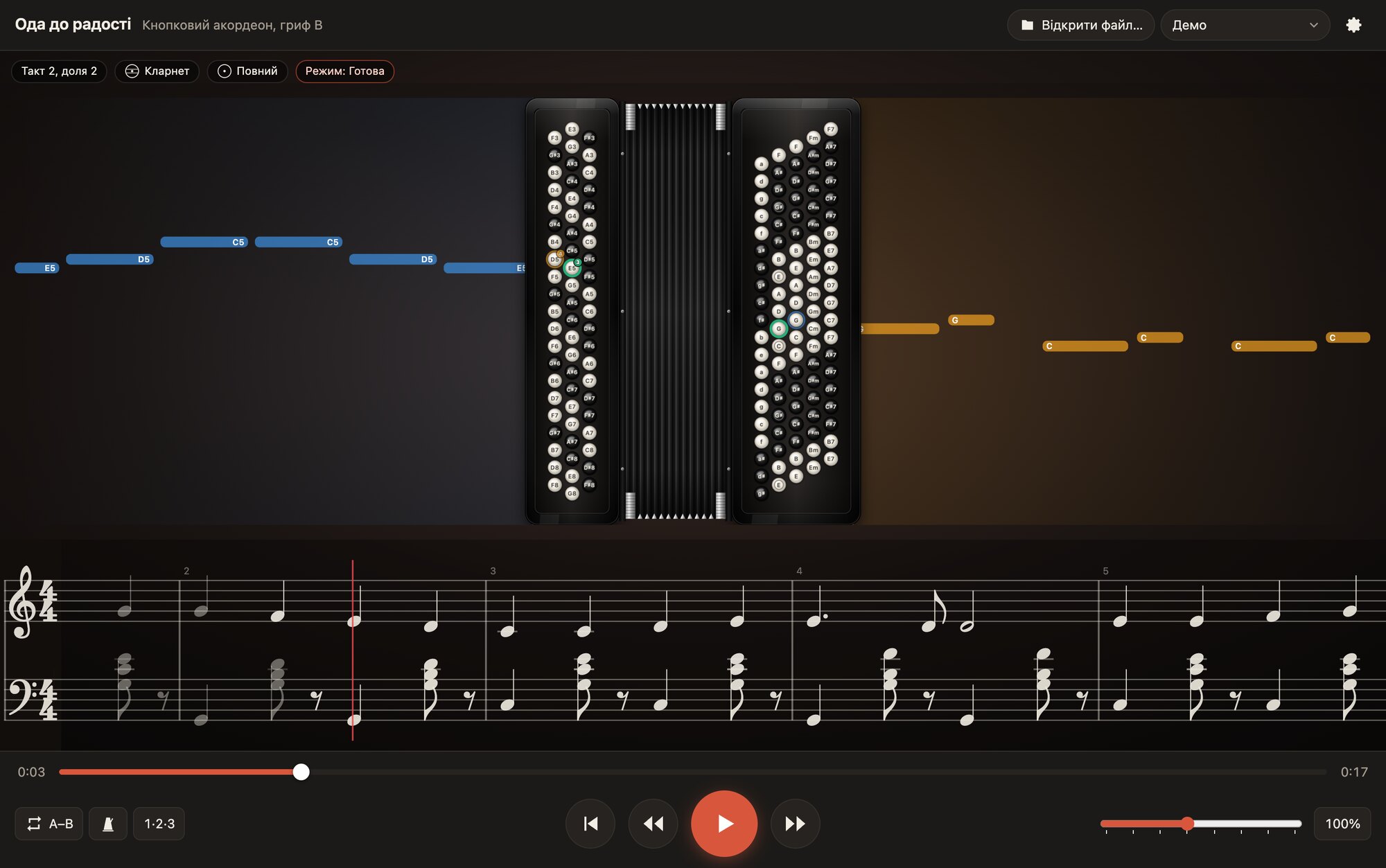
The player lights up the buttons and keys of both hands and shows the finger number for every note, and plays the piece along with you.

Download for free

For macOS, Windows, Linux, Android and iOS. No time limits.

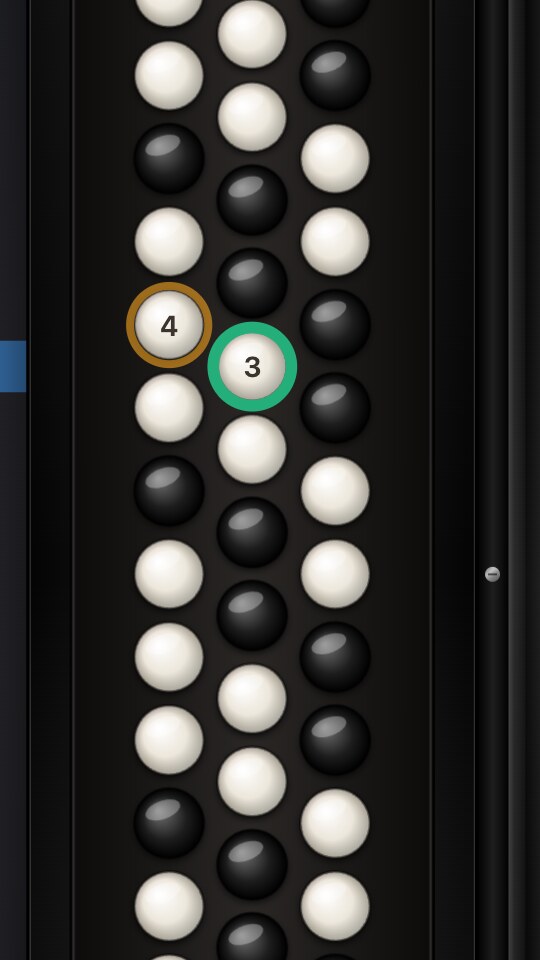
B griff, five rows. This is how the player shows “Ode to Joy”: the button glows in the finger’s colour, and its number sits in the corner.

Pull the bellows open: the real player will play the demo with sound right here.

The left hand is no longer a mystery

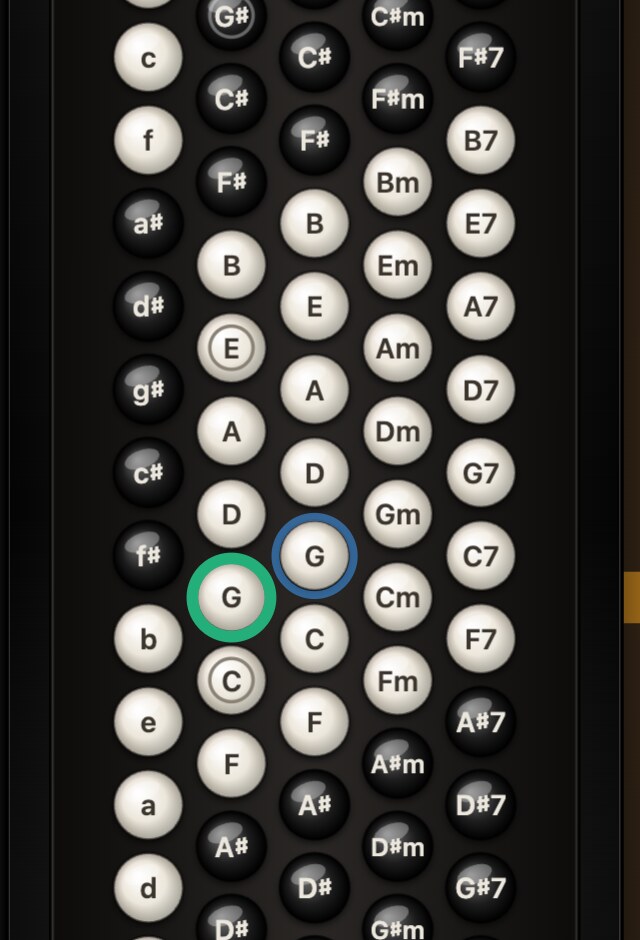
On the real layout you see both keyboards, including all 120 basses: fundamental and third basses, major, minor, seventh and diminished chords.

The button that sounds glows in the colour of the finger to press it with, and the next ones appear ahead of time so that your hand is ready. The left-hand mode, Stradella or free bass, and the registers of both hands are shown above the instrument, and duplicates on the auxiliary rows are marked separately.

The right hand close up: buttons with finger numbers
Right hand: the finger’s colour and number on the button
The left hand close up: Stradella basses and chords, the sounding buttons highlighted
Left hand: the basses and chords sounding now

Zoom in and look at the buttons close up

You can enlarge the instrument: pinch on a phone or tablet, Ctrl or ⌘ with plus or minus on a computer. The buttons, labels and finger numbers stay sharp.

Two halves of one instrument

A teacher prepares a piece in the editor, a student plays it in the player on any device. One file serves both button and piano accordion.

Accordion Player

Free for everyone who learns and plays

  • Highlighted buttons and keys of both hands, a finger number on each
  • Note lanes ahead of time and the staff under the instrument
  • A–B loop, metronome, count-in, tempo from 25 to 200%
  • Sound and display of each hand switch on separately
  • Video recording of your playing with sound in Full HD, free
DownloadAbout the player

The player: a button accordion with note labels

Accordion Editor

For teachers and arrangers

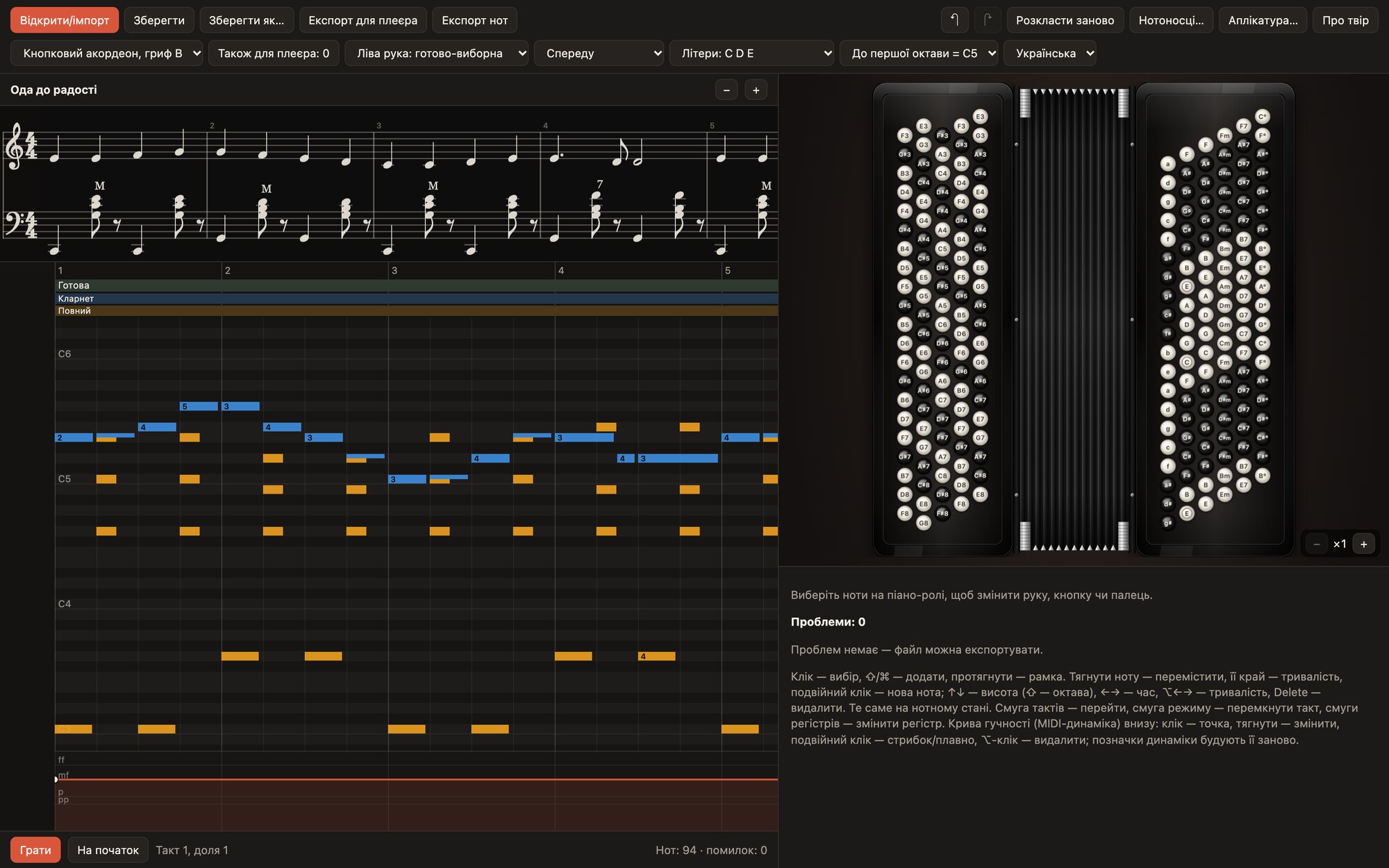
  • Import from MuseScore, MusicXML, MIDI and LilyPond
  • Fingering is built automatically by a special algorithm, the way a living accordionist would place it
  • A piano roll and a staff that are edited together
  • Bellows, chord names, basses in brackets, dynamics, ornaments
  • A player file, sheet music in MusicXML and PDF

Editor pricingAbout the editor

The editor: a staff, a piano roll and the instrument with a highlighted button

The piece library

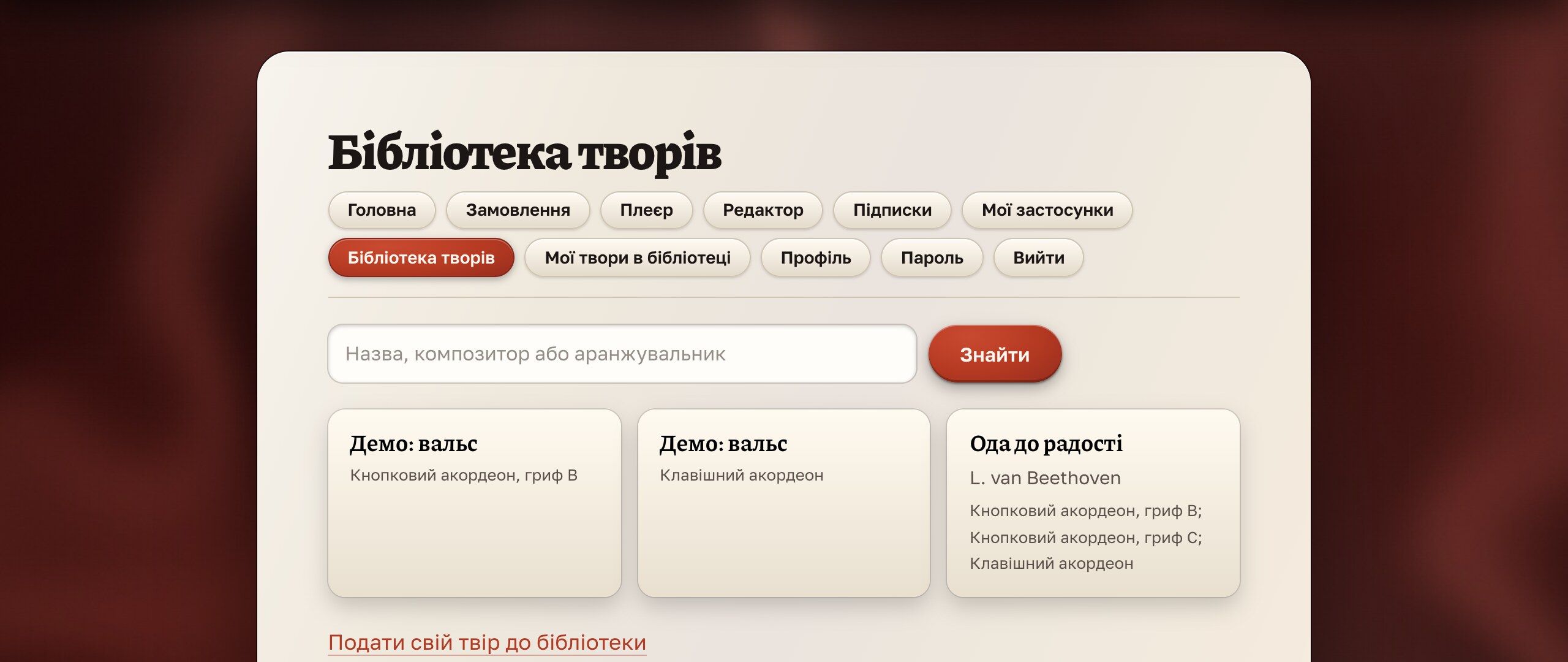
Ready-made arrangements from editor users that you can play right on the site.

Editor users submit their pieces for review, and the approved ones go into a closed library: find a piece by title or composer and open it in the web player with highlighted buttons and finger numbers. Access comes with a library or editor subscription, and after a one-time purchase of the editor the library is free for a year. Subscribers can also download files for the apps, mobile ones included.

How it worksOpen the library

The piece library: search and piece cards

Practise as you would in a lesson

Flip a register and see how the player helps you work through a hard passage.

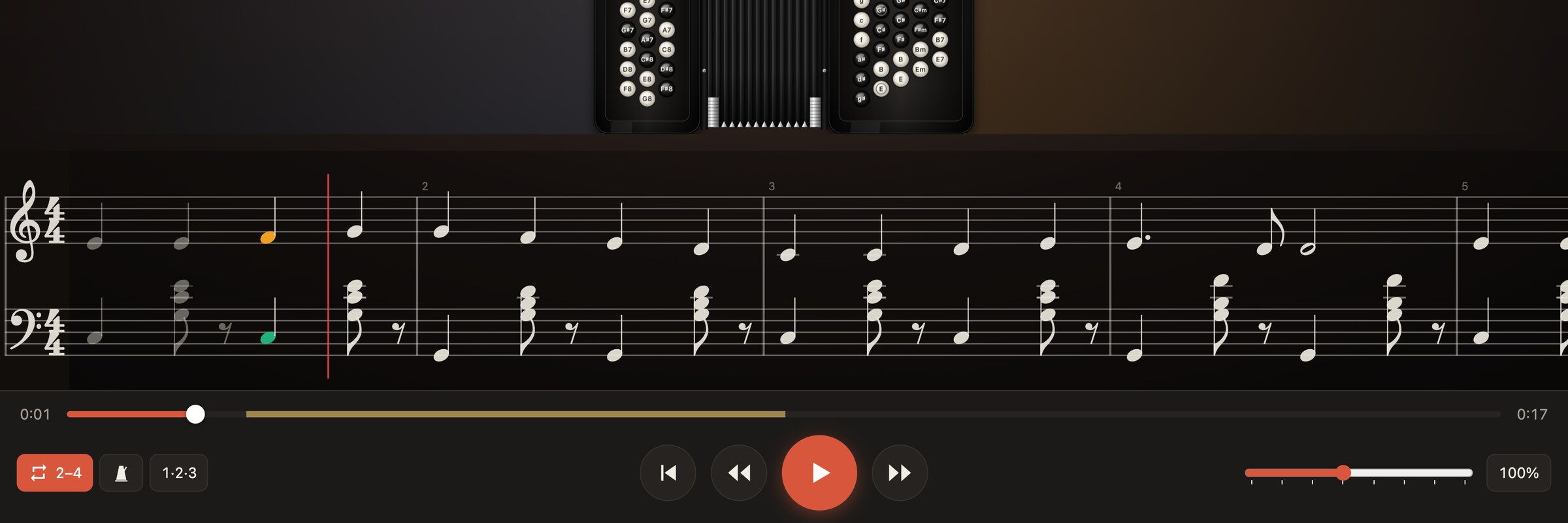
The staff and the player controls: the chosen bars 2–4 repeat in a loop, a golden band on the slider shows the loop, and the A–B button marks it

A hard passage, in a loop as long as you need

Press A–B twice and the chosen bars repeat without stopping. The metronome clicks every beat, and a bar of count-in lets you come in together with the player.

Tempo control: a slider and a button with the current tempo, 50%

Slowly first, then up to tempo

The tempo changes in steps of 25%, from a quarter to double, and the pitch stays the same. You can return to 100% with one press.

The “What to show” settings: display and sound for the left and right hand separately

The player plays one hand, you play the other

Display and sound switch on separately for the left and the right hand. Turn off the sound of the melody and play it yourself over the accompaniment of the basses.

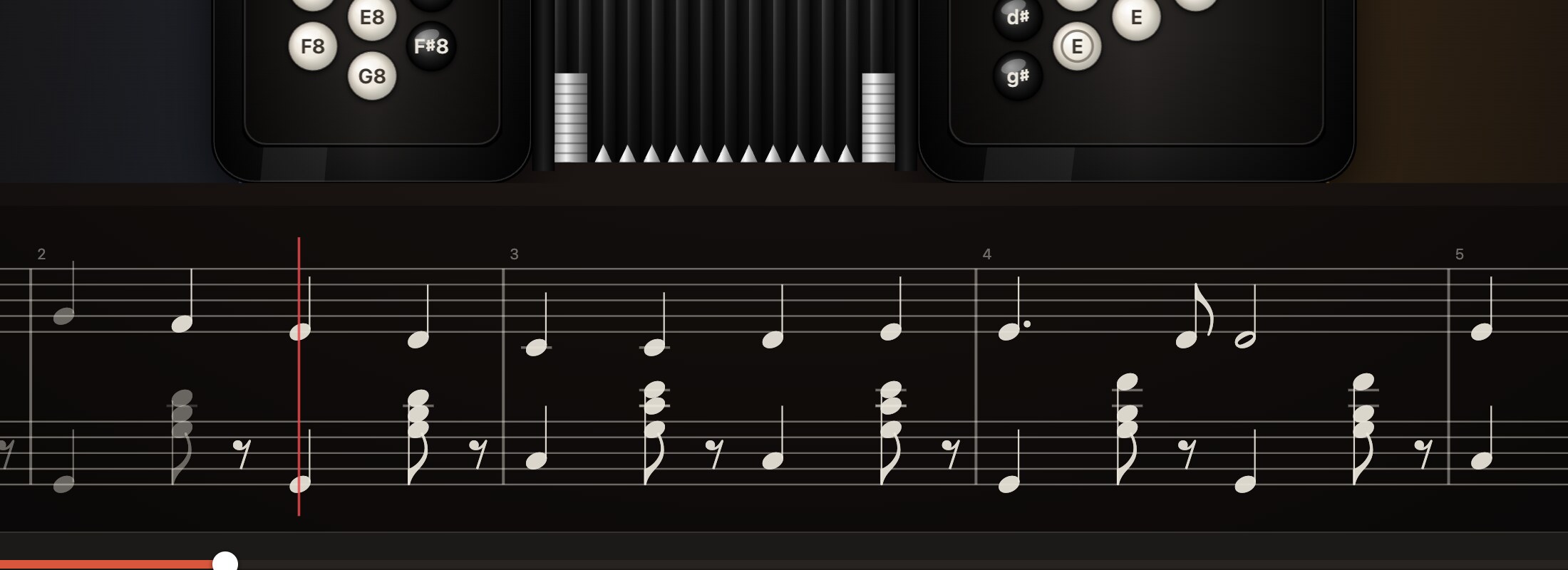
The staff under the instrument: both hands, slurs, dynamics, a red line at the current position

Notes and buttons at a single glance

Under the instrument runs real notation for both hands: slurs, dynamics, bellows, chord names and registers. The red line is where you are now.

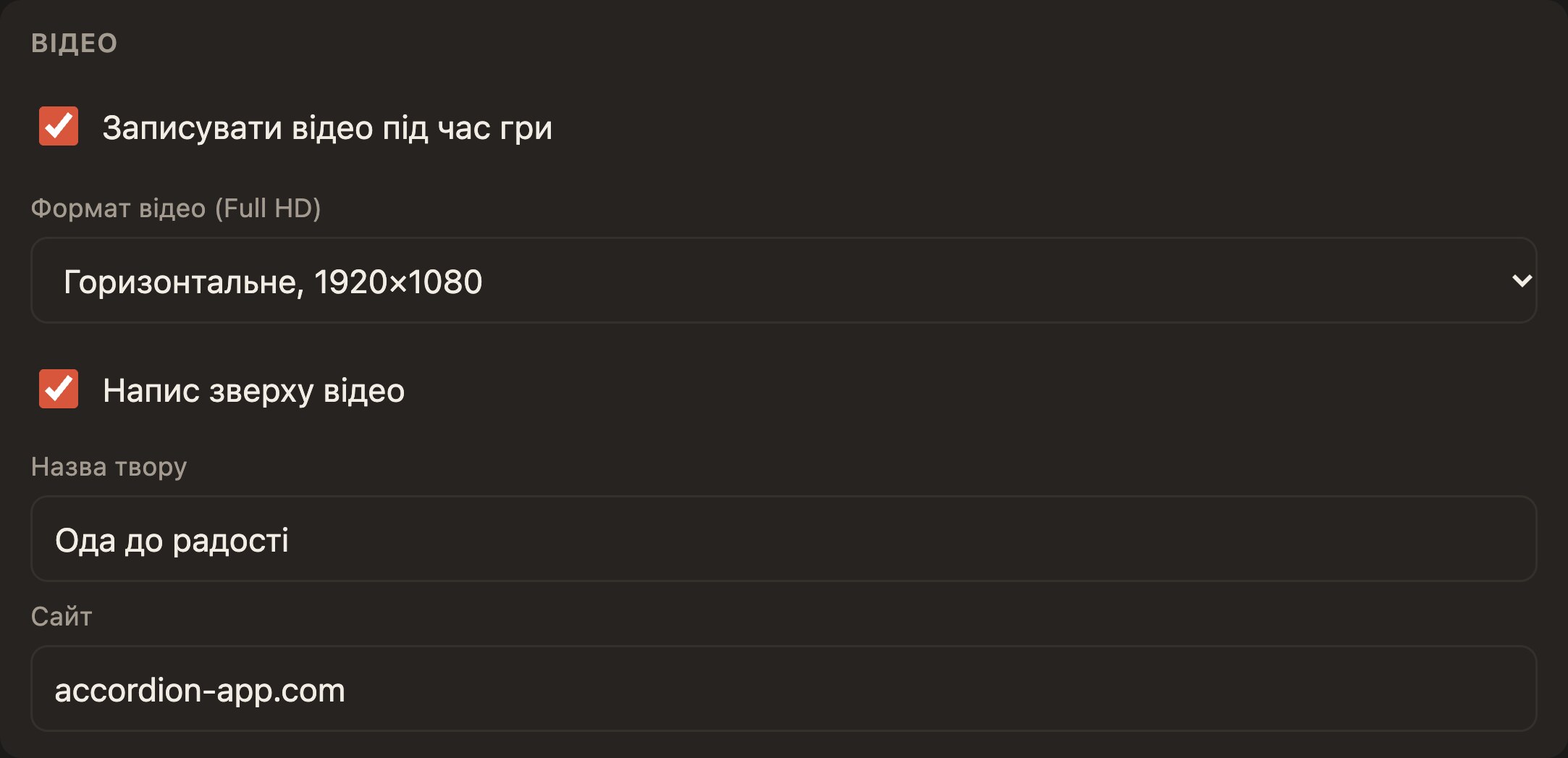
Video settings: recording while playing, Full HD format, a caption with the title of the piece and the site address

A video lesson without recording software

The player records the instrument, the note lanes and the staff together with the sound in Full HD, horizontal or vertical for phones. It puts the title of the piece and your site’s address across the top, and right after you stop it asks where to save the file. It is free: a small link to our site stays at the bottom of the video.


From sheet music to playing: three steps

  1. 1

    Import the score

    Open a MuseScore, MusicXML, MIDI or LilyPond file in the editor. It lays out the hands, buttons, fingers and registers by itself.

  2. 2

    Check and adjust

    The list of problems shows what is worth changing, and the piano roll and the staff let you fix every note.

  3. 3

    Open it in the player

    One .accplay file works on a computer, phone or tablet, for button or piano accordion.


Play for free

The player is free, with video recording. Only the editor is paid: by subscription or once, with a trial period.

Player

For learning, playing and video lessons on all platforms and in the browser.

Free

with no time limit

  • Everything for learning and playing
  • Full HD video recording
  • Five platforms and the browser
Download

Editor by subscription

Pay monthly or yearly: for those who prepare pieces regularly.

from $10.52

  • All the editor’s features
  • The first 14 days are free
  • Cancel at any time
Learn more

Editor forever

One payment for the editor: for those who work with it all the time.

$156.85

  • The same features as the subscription
  • One payment, all updates forever
  • A year of the piece library as a gift
Learn more

Piece library

A closed collection of pieces to play on the site and in your apps.

$5.26 / month

  • Play pieces on the site
  • Download files for the apps
  • Included in the editor subscription
Learn more

Prices depend on your country. You can cancel a subscription at any time in your account.

Pick up your accordion and pull the bellows open

The player is free on every platform and in the browser, and the demo pieces are already inside. In a minute you will see where your fingers should go.

Download the playerHow to start